
How long a subtitle line should be, and where to break it
A caption can be correct and on time and still be hard to read because its lines run too long or break in the wrong place. The numbers below come from Netflix's and the BBC's published subtitle guidelines, and the examples from the editor preview.
Last updated
The short answer
For landscape video, keep a line to about 42 characters and a caption to 2 lines. That is the limit in Netflix's English subtitle guide and its general requirements; the BBC's subtitle guidelines set 37 characters where broadcast teletext is involved. Vertical video needs much shorter lines: the BBC puts the equivalent of 37 characters on a landscape screen at about 25 on a 9:16 one, and allows up to three lines there. Sources read 26 September 2026.
Why the length of a line matters
A viewer reads a caption in a glance and goes back to the picture. A line short enough to take in at once lets them do that; a long one makes the eye travel across the frame and back, and on a phone that journey is most of the screen. Line count matters for the picture as much as for reading: every extra line covers more of what is happening behind it. The BBC notes that a long, thin caption usually disturbs the image less than a short, deep one, which is why guidelines prefer one line when the words fit.
Where to break a line
When the words do not fit on one line, break where a speaker would pause. The BBC's guidelines list the pairs not to separate: an article and its noun (the / table), a preposition and the phrase after it (on / the table), and a conjunction and the clause it starts (and / those books). Never break inside a name or a word. After punctuation is almost always a good place. Netflix also keeps text to one line unless it exceeds the character limit, so a short sentence should not be split just to make two tidy lines.
Vertical video changes the numbers
The landscape limits assume a wide frame and small type. Short vertical clips have neither: the frame is narrow, captions are set large so they read on a phone, and the app's own interface covers the edges. The BBC's equivalence (about 25 characters across 90% of a 9:16 frame) is already far below 42, and large display type brings it down further. That is why short-form captions usually show a few words at a time, and why one or two lines work better than three even where three are allowed.
Setting it in the editor
Open Motion and use Grouping. Lines on screen sets how many lines a caption can stack, from one to three, and Words per line sets the most words a line may hold, up to twelve. A line is also capped by the width of the frame, so lowering Words per line always shortens a line, while raising it stops making a difference once the line fills the width. To make lines wrap earlier, narrow Text width under Layout. Choose Block under How captions appear to stack lines; One Line shows one at a time.
Checking a subtitle file you already have
The subtitle validator flags every line over 42 characters and every cue over 2 lines, with its line number, alongside the timing mistakes a player acts on. Length is only half of readability: a short line shown for too little time is still hard to read, so run the caption length checker for reading speed as well. Both limits are guidelines rather than rules of the SRT or WebVTT formats, and neither tool rewrites the file.
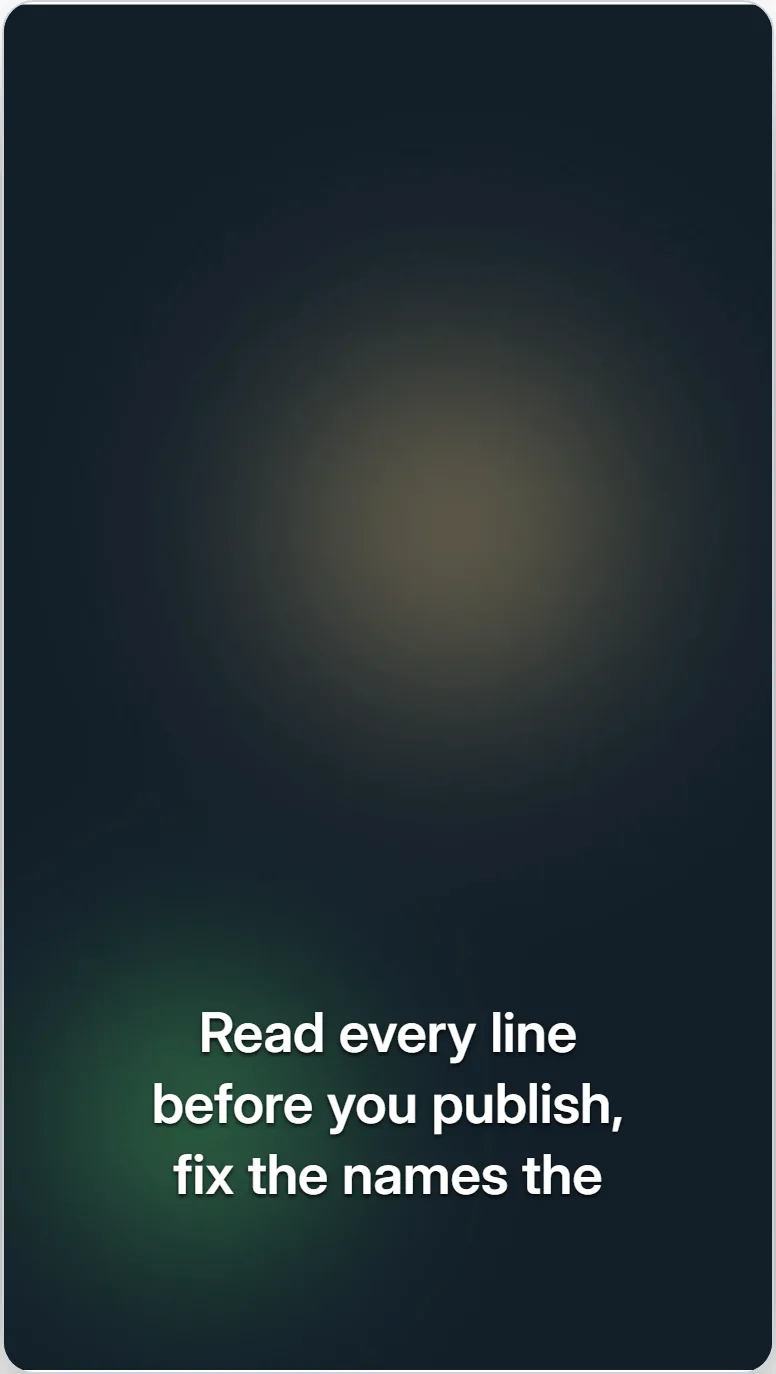
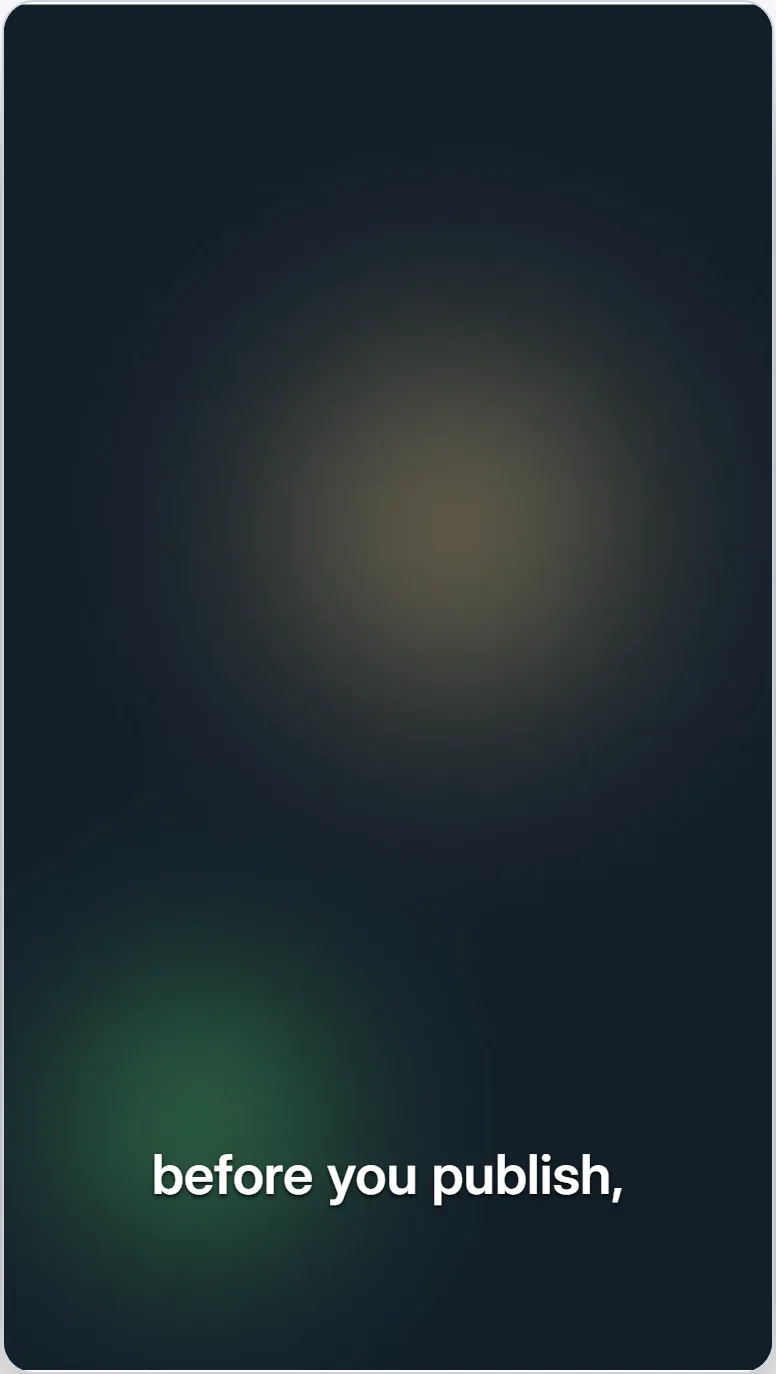
Vertical: three lines, then one
The editor preview on an original vertical example clip, at the same moment. Three stacked lines read as a paragraph and cover more of the picture; one line reads in a glance. The editor also caps every line at the width of the frame, so no line here runs past the edge whatever Words per line is set to.
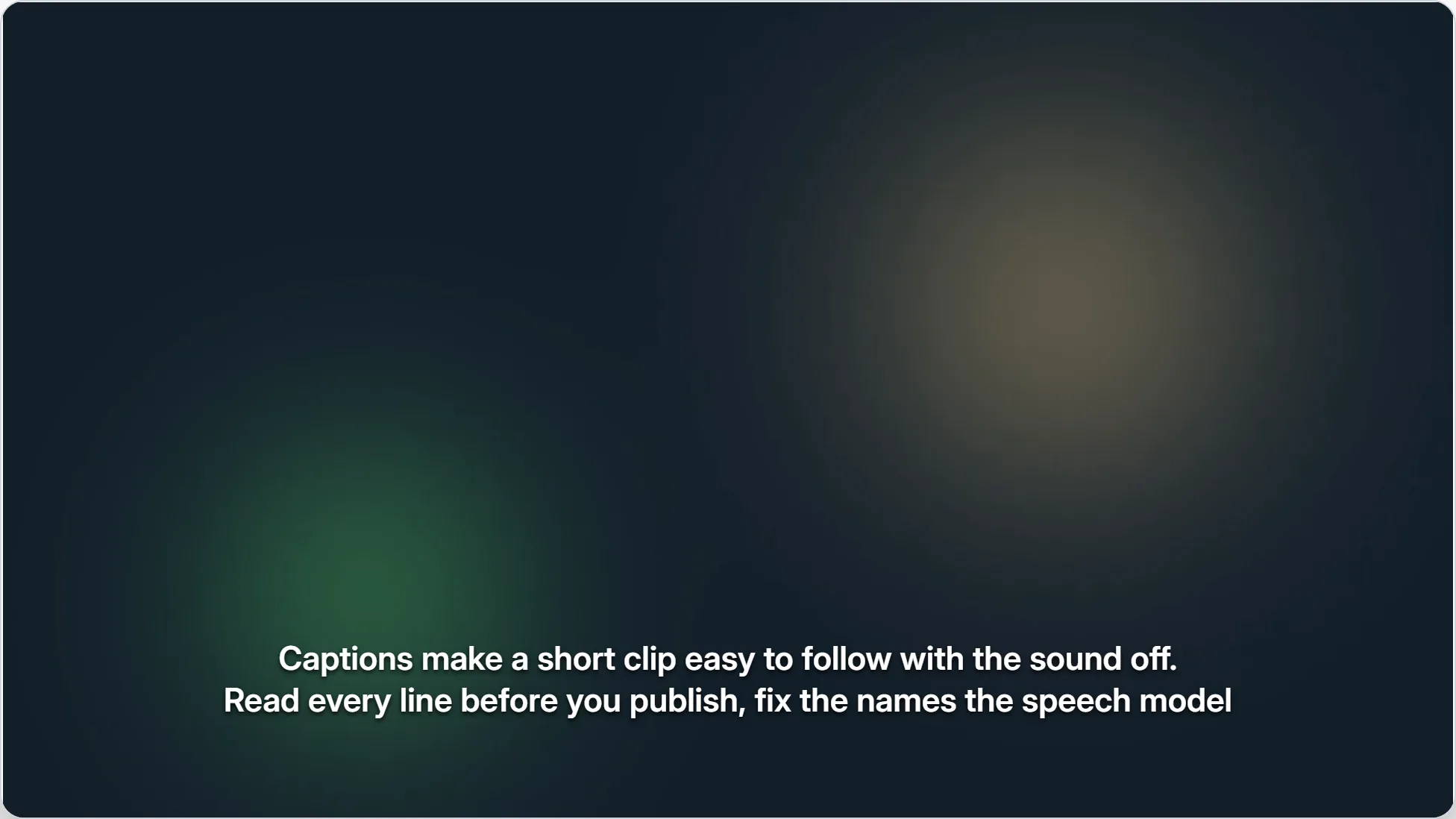
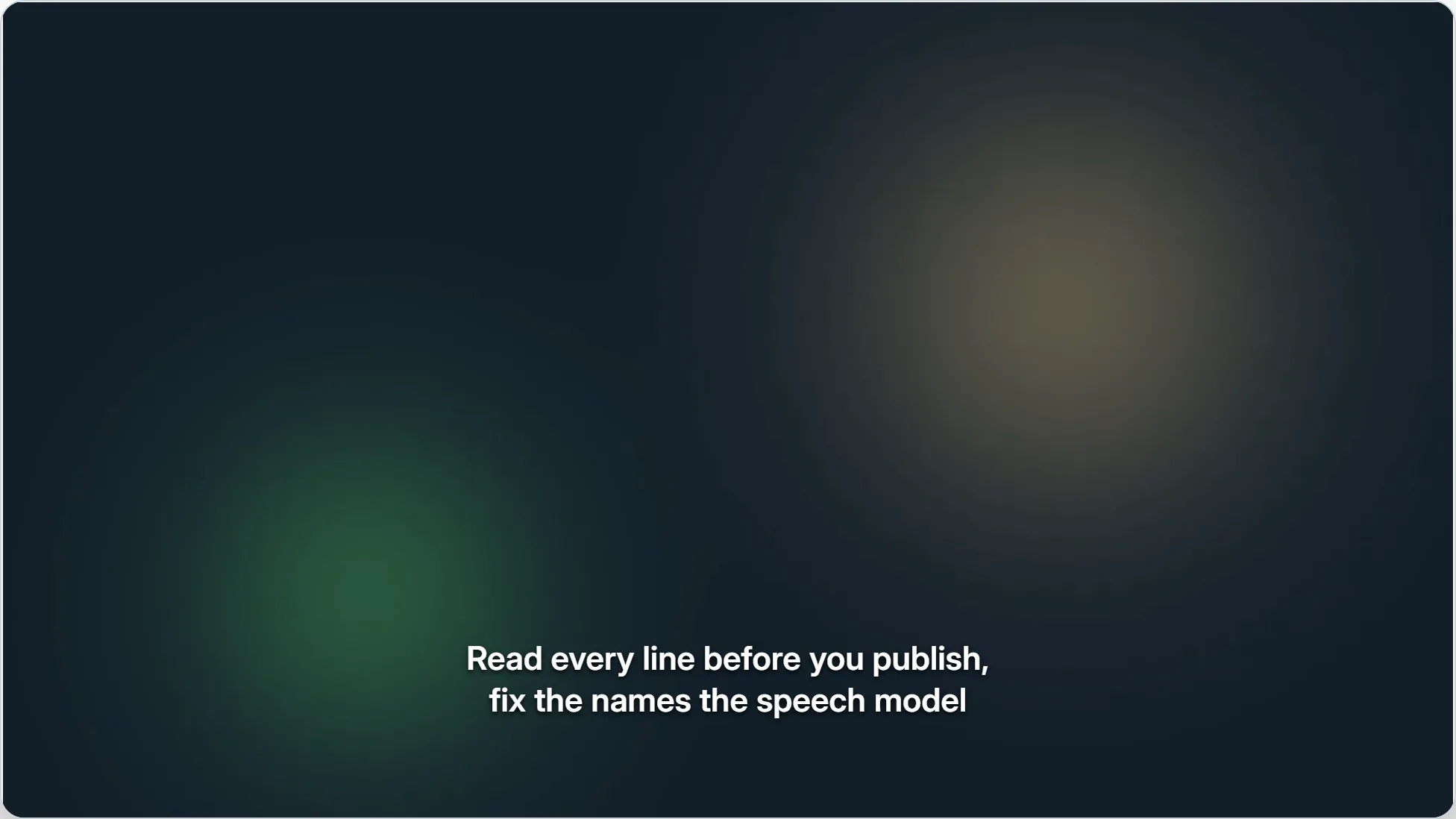
Landscape: long lines, then shorter ones
The editor preview on an original landscape example clip, with two lines on screen. At 12 words per line the lines run to 61 and 66 characters, well past 42; at 6 they are 35 and 30, and each reads without the eye crossing the frame.
Breaks at natural points
Each line ends where the speaker would pause, and no phrase is split across the break.
We tested three caption styles
on the same interview.

The second one read best
because the lines stayed short.
Breaks that split a phrase
The same words, broken to fill the width: “the” is cut off from “same interview”, and “because” from the clause it begins.
We tested three caption styles on the
same interview.

The second one read best because
the lines stayed short.
Frequently asked questions
How many characters should a subtitle line have?+
About 42 for landscape video, which is Netflix's limit for English; the BBC sets 37 for broadcast. For vertical 9:16 video the BBC's equivalent is about 25.
How many lines should a subtitle have?+
2 at most for landscape video, and one when the words fit. The BBC allows three on vertical video, though short clips usually read better with one or two.
Is 42 characters a rule of the SRT format?+
No. SRT and WebVTT set no line length. The limit comes from style guides such as Netflix's, and platforms and broadcasters set their own.
Where should I break a long subtitle line?+
Where a speaker would pause, usually after punctuation. Do not separate an article from its noun, a preposition from its phrase, or a conjunction from its clause, and never break a name.
Can I check the line lengths in an existing SRT or VTT file?+
Yes. The free subtitle validator lists every line over 42 characters and every cue over 2 lines, with line numbers.