Captions vs subtitles: what is the difference?
Captions are for viewers who cannot hear the audio: the dialogue in the same language, plus who is speaking and the sounds that matter. Subtitles are for viewers who can hear but do not understand the language, so they translate the dialogue and nothing else. Closed captions and SDH are captions delivered as a track the viewer can switch on, and only captions come with legal requirements attached.
What is the difference between captions and subtitles?
The difference is who the text is for. Captions are written for viewers who cannot hear the audio, so they carry the dialogue in the same language plus the sounds and speaker changes a hearing viewer picks up without thinking. Subtitles, in the North American sense, are written for viewers who can hear but do not understand the language, so they translate the dialogue and leave the sound alone.
W3C's Web Accessibility Initiative uses exactly that split, and adds the catch that trips people up: some regions call both of them subtitles, and tell them apart as intralingual (same language) and interlingual (translated). The BBC is the clearest example. Its subtitle guidelines are written for viewers with hearing loss, and they note that what they call subtitles are also known as closed captions. So a British brief asking for subtitles may well mean what an American brief calls captions. Ask which one is meant before quoting for the work.
| Aspect | Captions | Subtitles | SDH |
|---|---|---|---|
| Written for | Viewers who are Deaf or hard of hearing, or watching with the sound off | Viewers who hear the audio but do not know the language | Viewers who are Deaf or hard of hearing, on services that deliver text as subtitle tracks |
| Language | Same as the audio | Translated | Same as the audio, with foreign dialogue translated |
| Sounds and music | Included when they matter to the story | Left out | Included, usually in brackets |
| Who is speaking | Identified when it is not obvious on screen | Not identified | Identified when it is not obvious on screen |
| Open or closed | Either | Either | Usually closed, as a selectable track |
| What governs it | In the US, FCC rules for television; WCAG for the web | The distributor's or client's specification | The distributor's style guide, such as Netflix's |
Open and closed is a separate axis. Closed means the viewer can switch the text on and off, because it travels as its own track; open means the text is drawn into the picture and always shows. Captions can be open or closed, and so can subtitles. Which one to deliver depends on where the video goes, and the burned-in vs closed captions guide covers that decision on its own.
What are closed captions and SDH?
Closed captions are captions delivered as a separate track that the viewer turns on. On US television the term has a legal meaning: Congress requires broadcasters, cable and satellite distributors to close caption their programmes, and the FCC's rules hold those captions to four quality standards, covered below. On the web the track is usually a timed-text file such as SRT or WebVTT, which the player shows on request. If you need the file-level detail, SRT and VTT compared explains what each format can carry.
SDH stands for subtitles for the deaf and hard of hearing. It is caption content (dialogue, sound labels, speaker IDs) delivered the way subtitles are, as a selectable text track. Netflix's English (USA) timed text style guide describes SDH as intralingual subtitles and sets out how they are written: speaker IDs and sound effects go in square brackets, only when they cannot be identified from the picture, and dialogue is transcribed as spoken rather than paraphrased. Its general requirements treat subtitles and SDH as two deliverables in the same timed text format.
In practice, the label tells you what a streaming menu or a delivery spec is asking for. A track marked SDH should read like captions. A track marked only with a language name is usually translation. A caption file with no sound labels and no speaker IDs is, whatever it is called, a transcript with timing: useful, but short of what a viewer who cannot hear needs.
When are captions required, and when are subtitles?
Captions are the one with rules attached, because they are an accessibility measure. Translated subtitles are almost always a business decision: a distributor's delivery spec or a client's brief asks for them, and no accessibility rule below does. Where the rules apply, and what they ask for:
| Setting | What applies | What it asks for |
|---|---|---|
| US television | FCC closed captioning rules | Captions on TV programming, accurate, synchronous, complete and properly placed, with listed exemptions |
| TV programmes re-shown online | FCC internet captioning rules | Captions online when the programme aired on US TV with captions, including clips on the distributor's own site or app |
| Creator videos made for the web | No FCC rule | None from the FCC unless the video was shown on TV with captions |
| Websites and apps that follow WCAG | WCAG success criteria 1.2.2 and 1.2.4 | Captions for prerecorded video at Level A, and for live video at Level AA |
| US state and local government | ADA Title II web rule | WCAG 2.1 Level AA, from April 26, 2027 for governments serving 50,000 people or more |
The FCC's four standards are worth reading even if no rule binds you, because they describe good captions better than most style guides. Captions should match the words spoken and convey background sounds as fully as possible; appear with the speech they belong to, at a readable speed; run from the start of the programme to the end; and stay clear of important picture content, without overlapping or running off the screen. The last point matters most on vertical video, where the app's own buttons sit over the lower third. The subtitle safe areas guide has the measurements.
For online video that never aired on television, the FCC is explicit that consumer-generated media does not have to be captioned. That does not make captions optional where WCAG applies, which is the standard most institutional accessibility policies point to. The US Justice Department's rule for state and local governments adopts WCAG 2.1 Level AA, and its fact sheet names captions for videos as one of the things WCAG covers. A 2026 interim rule set the deadlines at April 26, 2027 for larger governments and April 26, 2028 for those serving fewer than 50,000 people and for special districts.
Automatic captions do not settle the question either way. W3C's guidance says machine captions are not enough unless someone has confirmed they are fully accurate, and YouTube's own help tells creators to review automatic captions and fix what was transcribed wrong. Treat speech recognition as the first draft of the captions, never the finished track.
What do captions add to a transcript?
Two things: who is speaking, when the picture does not make it obvious, and the sounds that matter. Everything else about writing captions, from line length to reading speed, is shared with subtitles; the subtitle line length guide covers it with the Netflix and BBC figures.
- Label sounds that carry meaning, not every sound. The BBC asks for every editorially significant sound and warns against labelling what the picture already shows; Netflix asks for plot-pertinent sound effects unless the visuals make them clear. A phone ringing off screen that makes a character turn earns a label. Traffic under an outdoor interview usually does not.
- Describe the sound, not the action. The BBC puts it as describing sounds rather than writing stage directions: a label says what is heard, such as a door slamming, not what someone did to make it happen.
- Identify speakers only when the picture cannot. Netflix uses a bracketed name before the line, and a neutral label such as [woman] for someone the story has not named yet, so the caption does not reveal more than the audio does. Off-screen narrators and voices on a phone are the usual cases.
- Say when music matters. The BBC labels music that is part of the action and names identifiable background music. A plain [music] tag over every song is less useful than one that says what the music is doing for the scene.
| Element | Netflix, English (USA) SDH | BBC subtitle guidelines |
|---|---|---|
| Sound effect | In square brackets, for example [door slams] | White capitals on a line of its own, for example DOOR SLAMS |
| Speaker identification | Name in square brackets before the line, for example [Maya] Ready? | Text colour first (yellow, cyan, green), a white capitalised name label only as a last resort |
| Two speakers in one caption | A hyphen at the start of each speaker's line | Different colours, or a dash before each line when colour cannot be used |
| Music | A song title can be given as a label when there is room | MUSIC: followed by the title for identifiable background music |
Neither style is wrong; they serve different players and audiences. If a distributor gives you a style guide, follow it to the letter. If nobody does, square brackets are a safe default for web video: they survive in a plain SRT file, which cannot carry colour, and YouTube's help itself suggests bracketed cues for sounds such as applause.
Which one does your video need?
- Viewers who cannot hear, or watch with the sound off: captions in the language spoken. On social feeds that often means open captions burned into the video; on a player with a CC button, a closed track. The burned-in vs closed captions guide helps you pick.
- Viewers who speak another language: subtitles in their language, ideally alongside same-language captions rather than instead of them, since a plain translation leaves out the sounds and speaker changes a viewer who cannot hear is missing.
- A long-form YouTube video: a caption file uploaded as a track. YouTube Studio takes a file, a transcript to auto-sync, or text typed while the video plays; our page on YouTube subtitles covers the file route.
- A streaming service or broadcaster: SDH or closed captions written to their style guide and delivered in their format. Netflix, for example, takes timed text as TTML files.
That last case is where our tool stops being the right one. It exports SRT, VTT, TXT and MP4, not the TTML or broadcast formats a distributor's spec names, and it does not check work against a style guide. For a delivery like that, work to the distributor's own documentation with subtitle software that writes its format, or a captioning service that signs off against it. Where a platform or player accepts SRT or VTT, the export options cover what each download contains.
How do you make captions or subtitles with Auto Subtitle Generator?
Auto Subtitle Generator transcribes the speech in your video into timed text in the language spoken, which is the raw material for captions. From the same project you can download a separate file for closed captions or an MP4 with open captions. It is the same workflow as adding subtitles to a video, with one extra step for the parts of a caption that speech recognition does not produce.
Upload the video and let it transcribe
Drop the file onto the uploader on the home page. You can start without an account. On the free plan a video can run to 10 minutes and 500 MB. The editor opens with the speech already split into timed lines and drawn on the frame.
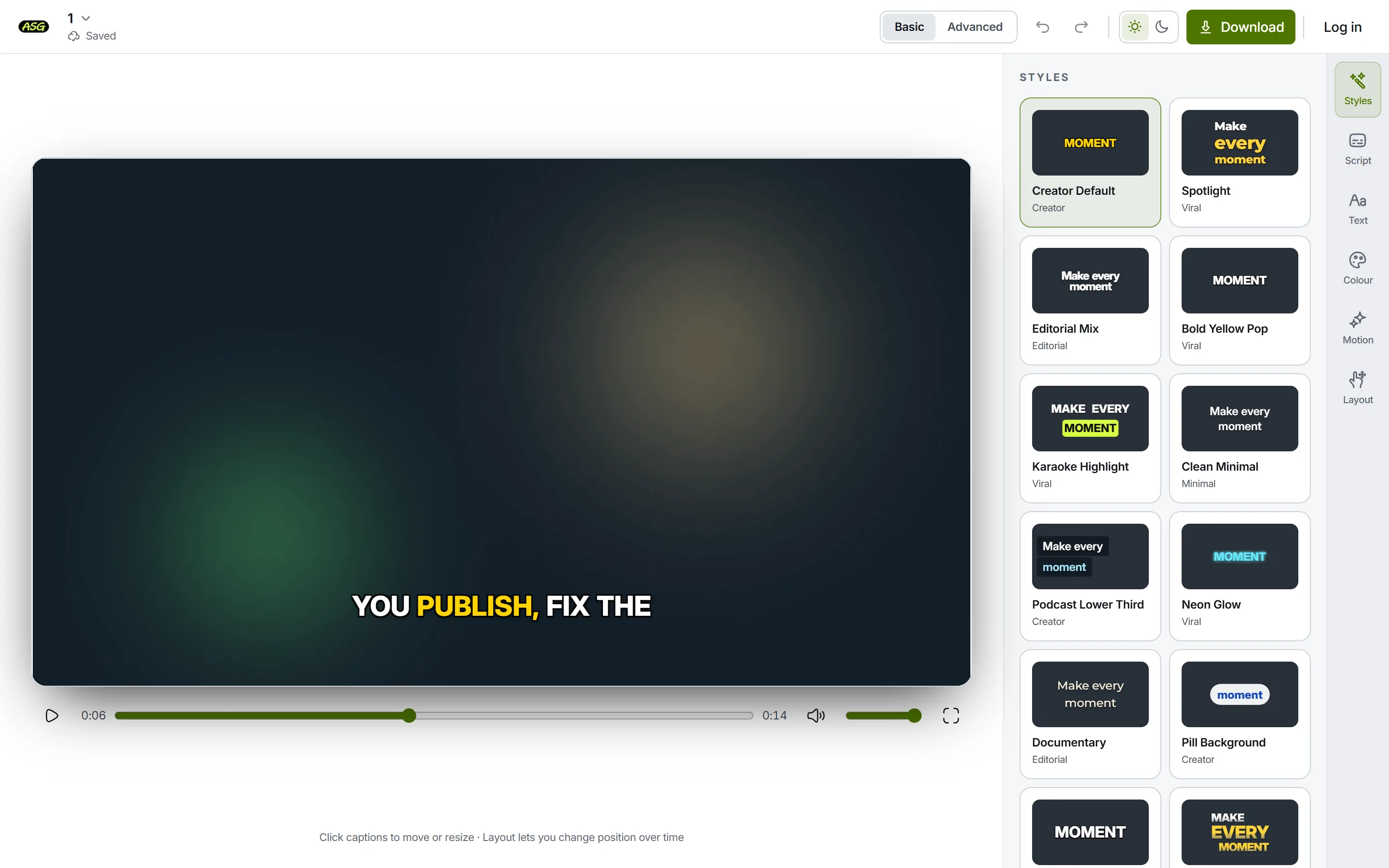
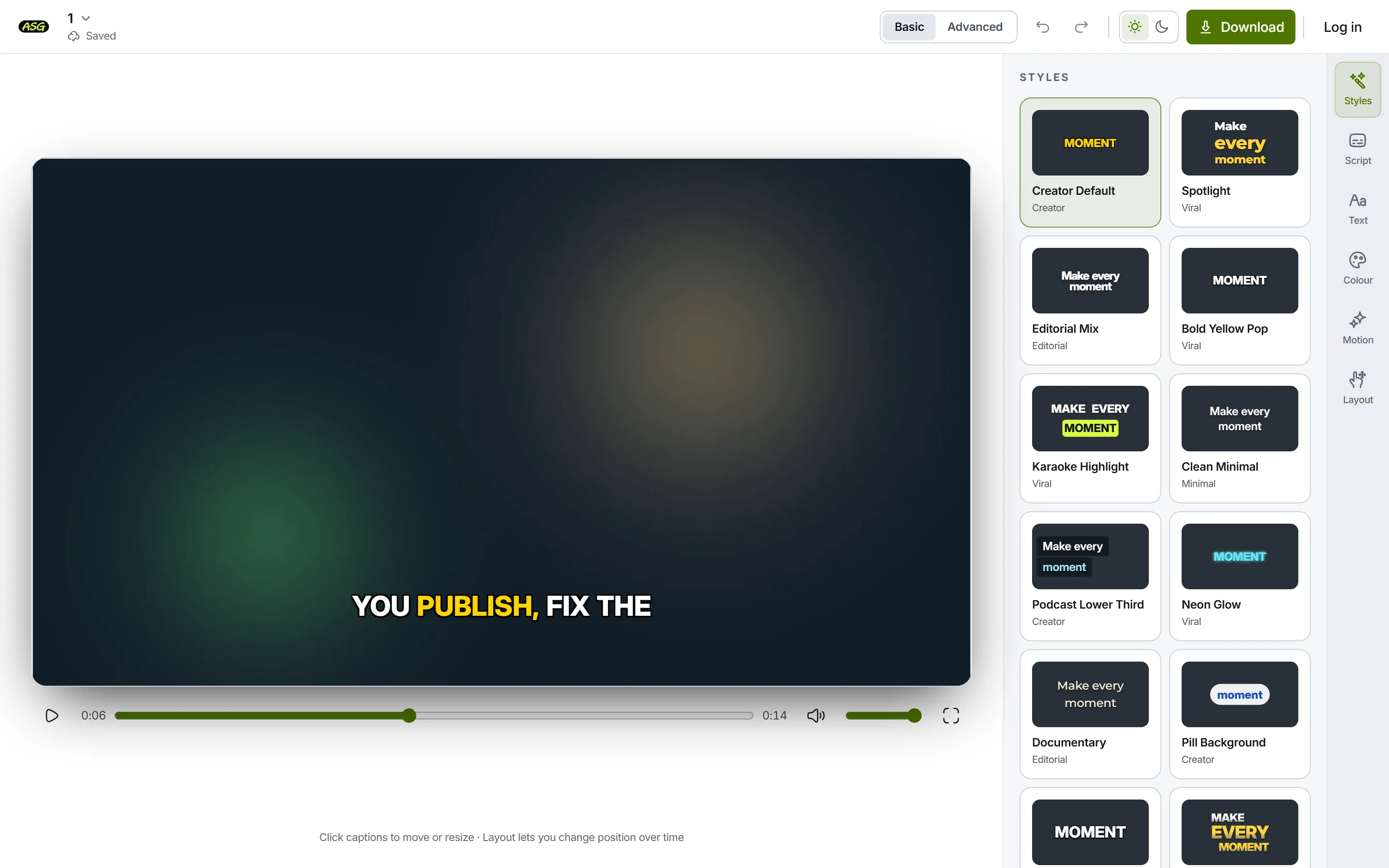
Captions generated from the speech, before any correction. Correct the words in Script
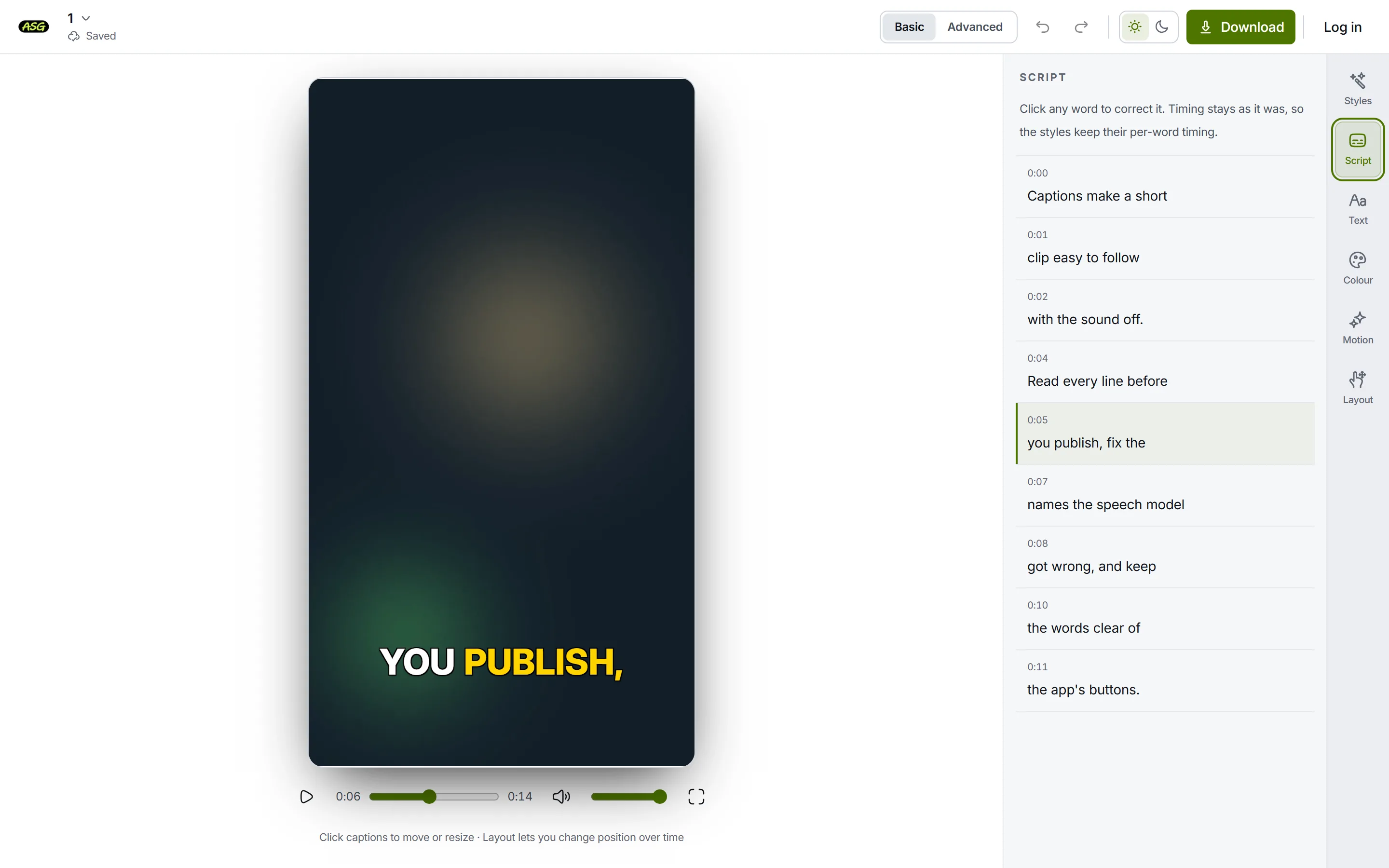
Open Script and read every line against the audio. Click a wrong word, type the correction and press Enter; its timing stays as it was. Names, jargon and quiet speech are where automatic transcription goes wrong most, and accuracy is the first thing every captioning standard asks for.
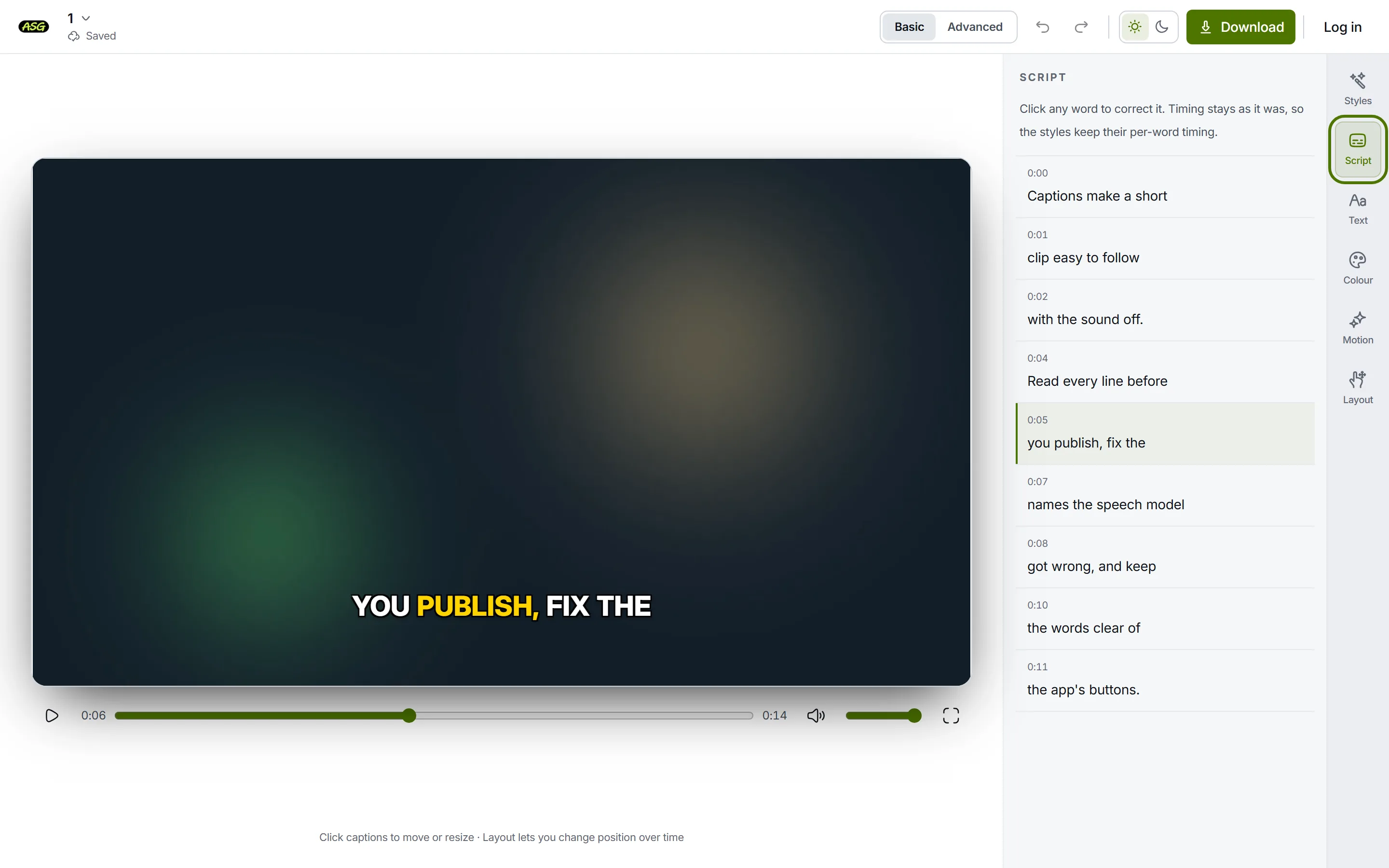
Script lists every line with its start time; each word is editable in place. Add speaker and sound labels by hand
The transcription gives you words only: it does not say who is speaking or describe music and sound effects. For captions or SDH, type those in yourself. Click the first word of the line the label belongs to and type the label in front of it, such as [narrator] Read in place of Read. Anything with spaces becomes extra words that share the original word's slot of time.
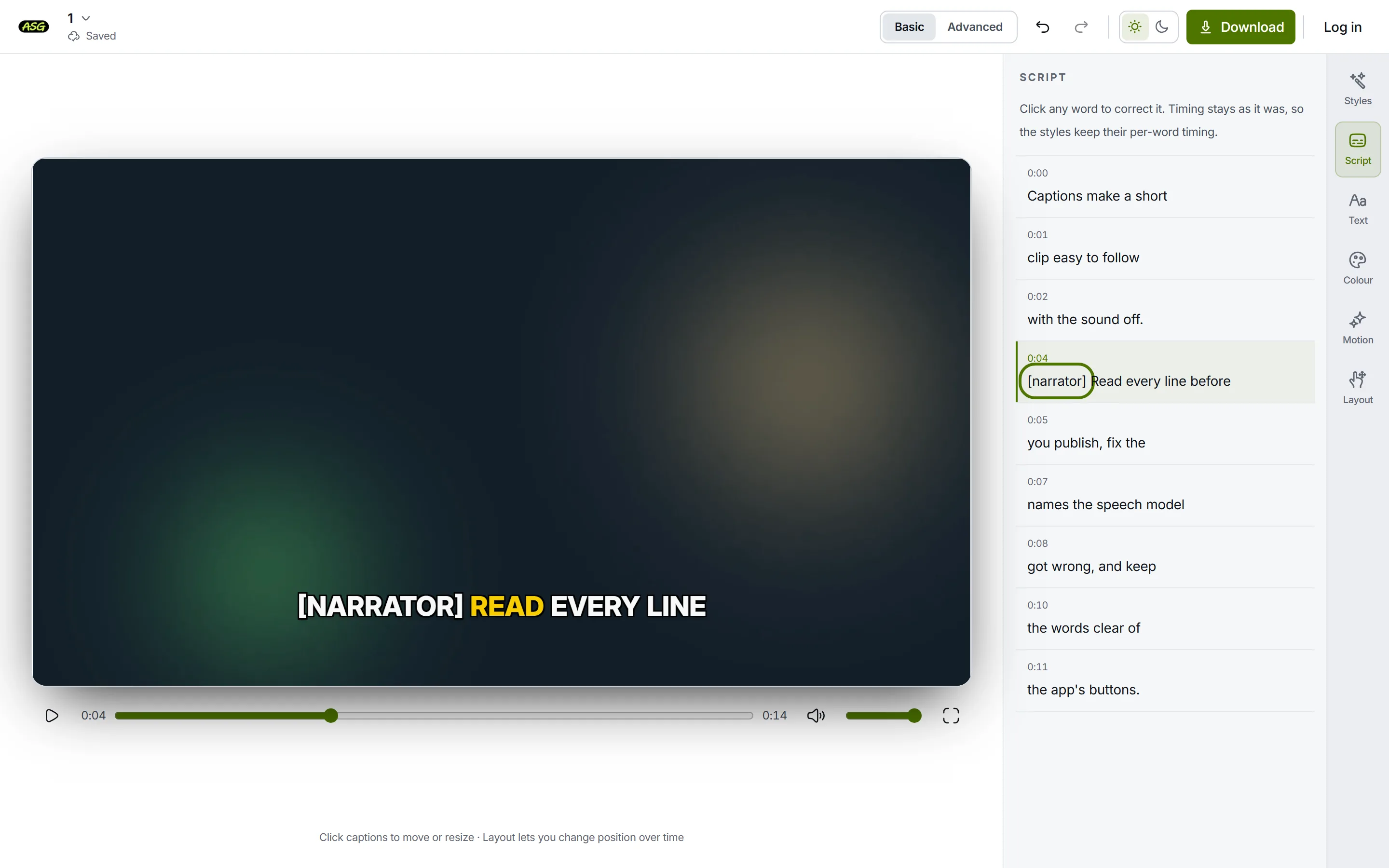
A speaker label typed into a line. It exports in the SRT, VTT and MP4 like any other word. Download SRT or VTT for closed captions
Press Download, open Caption files only (no video) and choose SRT or VTT. Standard subtitles, the default, regroups the words into cues of up to two lines, timed for reading; Match the editor’s lines keeps one cue per Script line. Upload the file to YouTube, a course platform or your video player as its caption track, and viewers can turn it on and off. Caption files never use your monthly allowance; the SRT generator page has more on the file itself.
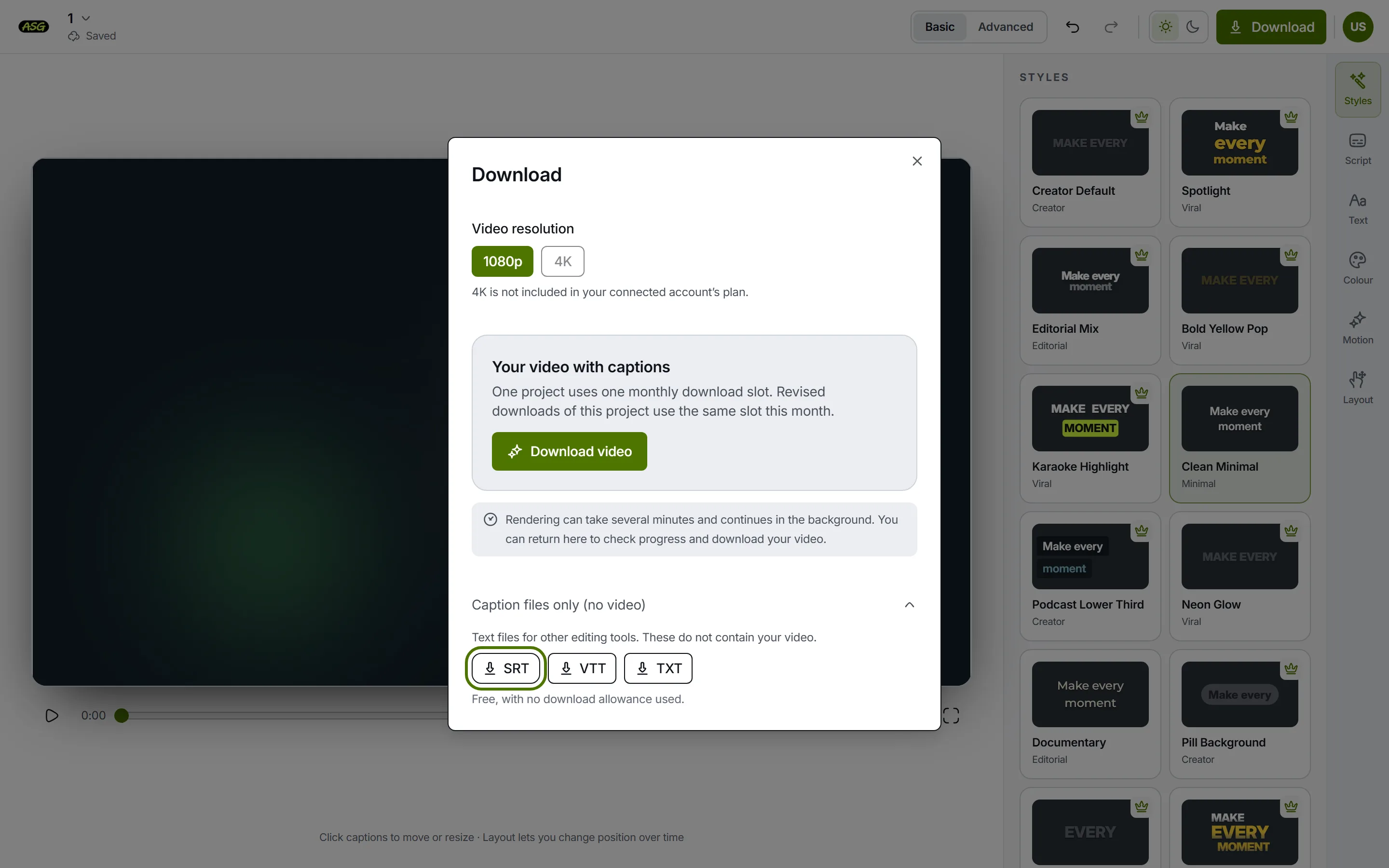
Caption files are offered below the video download and do not contain the video. Or download an MP4 with open captions
Press Download video instead to render the captions into the picture, in the style you chose. That is 1080p on the free plan and up to 4K on Starter, with no watermark on any plan. Downloading needs a free sign-in with Google or email.
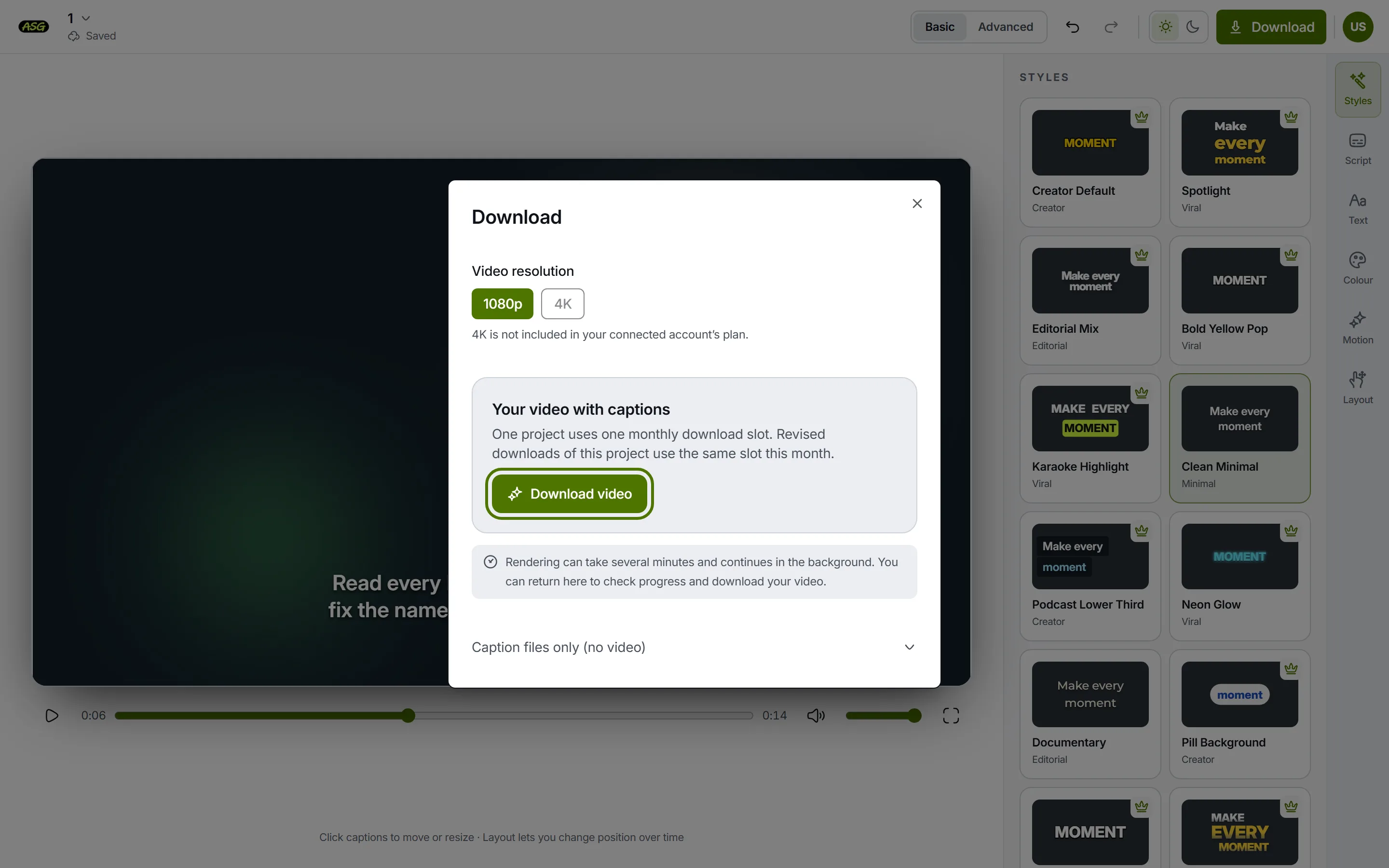
Download video burns the captions into the frames: open captions.
The free plan covers 3 video projects a month. If you already have a caption file and only need it in the other format, the free SRT to VTT converter does that in the browser, and the subtitle validator checks a file before you upload it.
Frequently asked questions
Are closed captions and subtitles the same thing?+
Not in American usage. Closed captions are same-language text with sound and speaker information that the viewer can switch on; subtitles usually mean a translation. In British usage the BBC calls its closed captions subtitles, so the words overlap depending on where the brief was written.
What does SDH mean on a streaming service?+
Subtitles for the deaf and hard of hearing: a same-language track that includes speaker IDs and sound effects, usually in square brackets. It reads like closed captions but is delivered and selected the way subtitles are.
What does CC mean on a video?+
Closed captions: a caption track the player can show or hide. Whether that track includes sound labels and speaker IDs depends on who made it, so a CC track built from automatic speech recognition may be a plain transcript.
Does Auto Subtitle Generator make SDH or closed captions?+
It makes the same-language captions and exports them as an SRT or VTT file for a closed-caption track, or as an MP4 with open captions at up to 1080p free. It does not add speaker IDs or sound descriptions on its own; you type those into the lines in Script.
Caption your own video
Upload a video, correct what the speech model misheard, add any speaker or sound labels, and download an SRT, a VTT or an MP4 with the captions burned in. Start without an account. No watermark, ever.
Upload your video